

Module located: Business Groups => Business Group Settings => Featured Content 2.0
Want to highlight a new item at your restaurant? Running a promotional campaign to attract customers on a slow day? Our Featured Content 2.0 can help get the word out!
|
|
This section on the app home page located under the “Specials” section shows images with a text caption which can be linked to another place in the app or to an external page. These images are grouped together on a carousel that a user can swipe through to see all of the specials. |
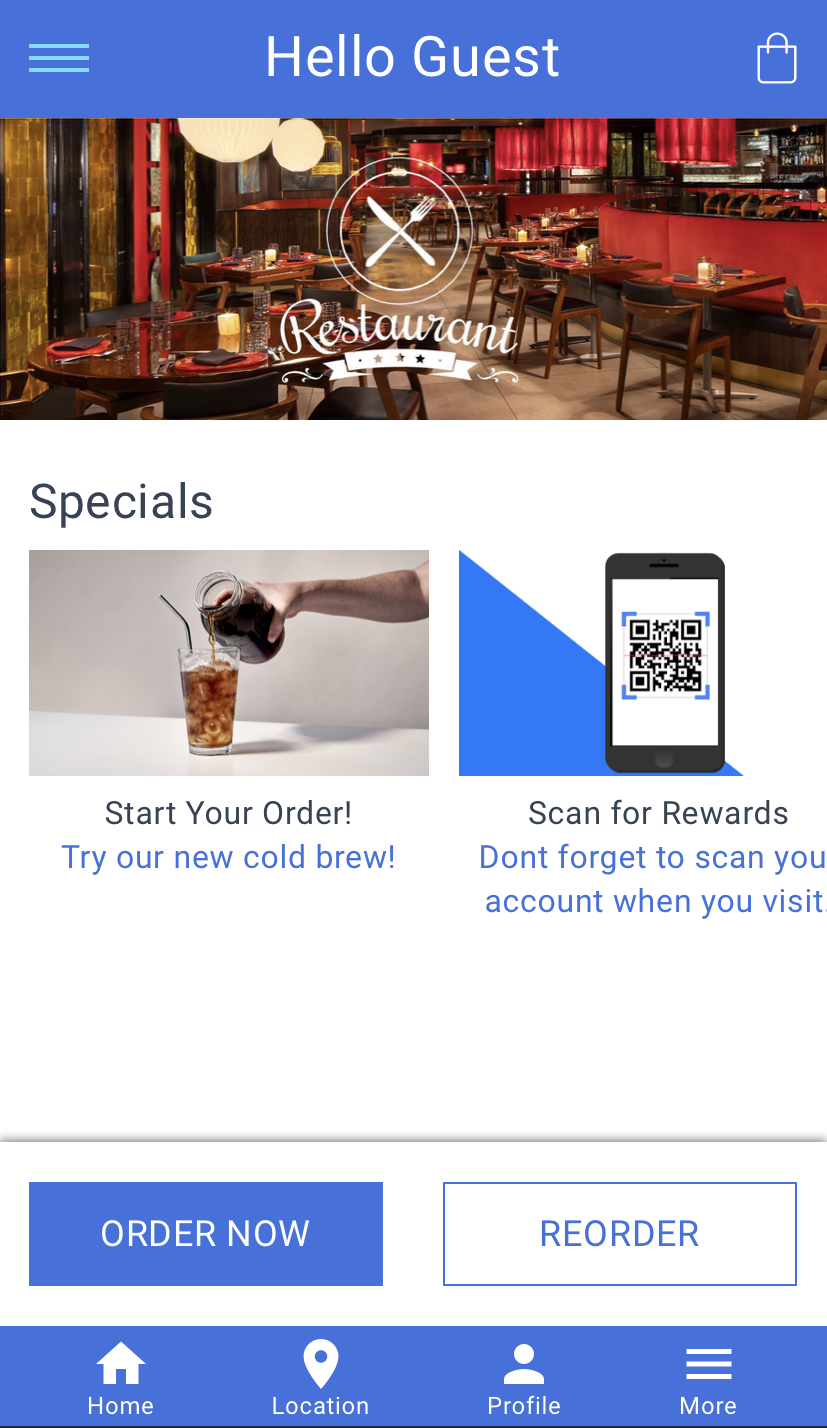
These can be configured in your group settings:
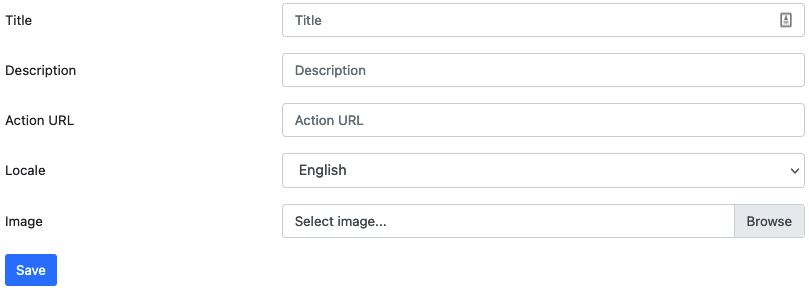
Title: This is the title that will show up under the image.
Description: This is the text under the title that can give more information about the special.
Action URL: This is the URL to link the image and text to where you want the customer to go. If linking to another place on your web app, make sure to grab the URL after the main URL:
E.g. from https://exampleapp.appsuitecrm.com/menu/1234/item/1234 take the menu/1234/item1234 and place it in the form field.
/rewards
/member-card
/how-it-works
/rewards-history
/locations/all
/orders
/gift-cards (eGift)
/buy-ewallet
/profile
/home?showNav=1
/order-type
Locale: Choose the language you wish to have the text in.
Image: Browse your computer for an image to upload and show off on the home page
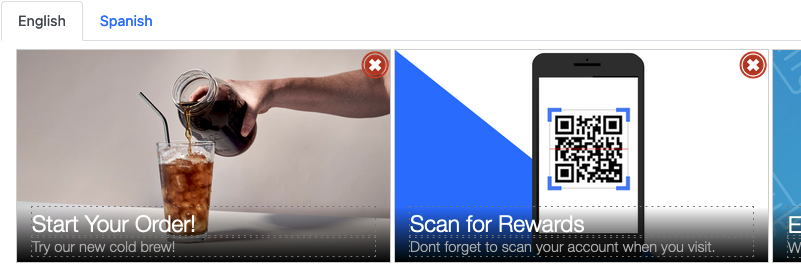
Once saved, your images will appear below the form where you can delete any of them by pressing on the X at the top or reorder them by clicking and dragging any image to the order you want.
Comments